 "Excel Import - Function" dialog
In order to use the Excel surcharge import, you need to
- have the right to execute this import
- have the right to edit Data Administration
- have activated the Maintenance Mode (with system changes).
Settings
Mapping Administration
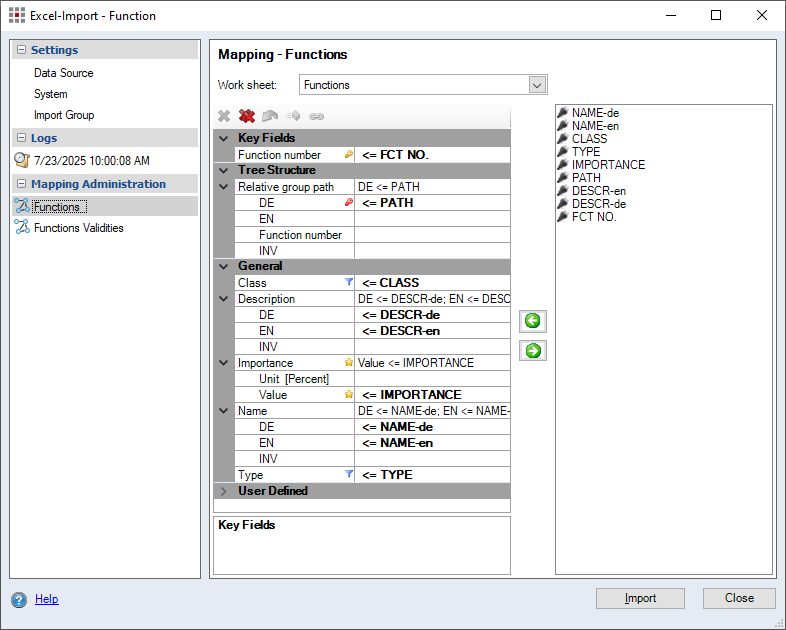
Figure: Excel Import - Functions dialog, Mapping Functions
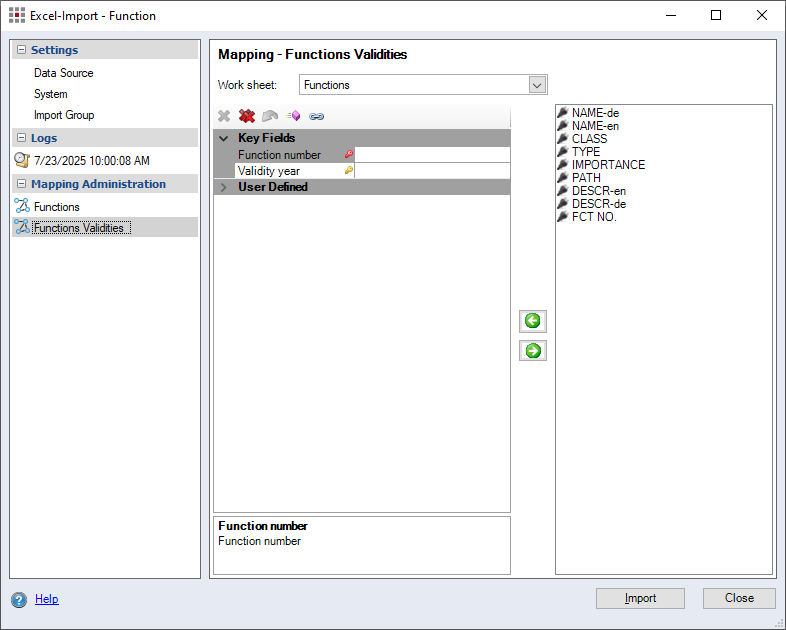
Figure: Excel Import - Functions dialog, Mapping Functions Validities
Comparison Criteria
If not defined otherwise when customizing your FACTON system, the following is used as the key and comparison criteria:
Function number
Further Information see Comparison Criteria
Supported link types
The import does not currently support links.
Import groups
The specification of an import group for functions is optional.
Special features of imports
In the Excel document:
In order to assign the correct function class and function type to the functions during import, a column in the Excel document must first be assigned to the "Class" and "Type" fields.

In the Excel import dialog:
Next, each value in this column of the Excel document must be assigned the appropriate FACTON function class and function type.
This is done using the following dialog, which you can open by double-clicking on the filter icon  . The assignment of the function class and function type is done in the same way as the assignment of the Excel columns in the main window of the Excel import.
Function class
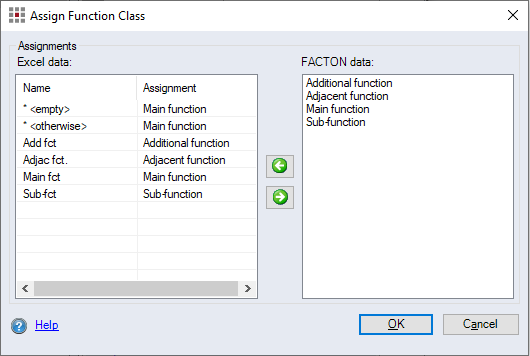
Excel data:
FACTON data:
Main function
Main functions entail the primary tasks or the main purpose of an object. Their fulfillment is indispensable.
Adjacent function
Adjacent functions are supporting functions that contribute to the fulfillment of the main function. They are necessary as a complement and serve either to ensure the main function or to make it more efficient.
Sub-function
Sub-functions are parts of the main or adjacent functions. The classification allows for a detailed analysis of how the main and adjacent functions are accomplished.
Additional function
Additional functions are functions that go beyond the required main and adjacent functions and offer additional services (often requested by the customer).
Function type
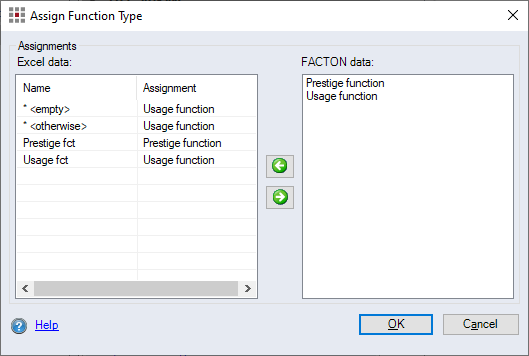
Excel data:
FACTON data:
Usage function
Usage functions are required for the technical and commercial use of an object.
Prestige function
Prestige functions do not have a significant effect on the usage function of an object. They fulfill requirements or prestige-oriented demands. Prestige functions are required, if these additional functions are requested by the customer.
Further Information see Assign Object Types
Logs
Further Information see Logs Category