"Excel Import - Additional Cost" dialog
For further information on the Excel import settings, see chapters:
Settings
Mapping Administration
Comparison Criteria
If not defined otherwise when customizing your FACTON system, the following is used as the key and comparison criteria:
-
Process key
Further Information see Comparison Criteria
Supported link types
The additional costs import does currently not support links.
Import groups
The specification of an import group for additional costs is optional.
Special features of imports
In order to assign the correct cost type, allocation type and distribution mode to the additional costs during the import, one column of the Excel sheet must be assigned to the "Cost type", "Allocation type" and "Distribution mode" field first.
Then, the matching FACTON cost type, allocation type and distribution mode must be assigned to each value that contains this column in the Excel file.
-
Cost Rate
The process cost rates are hourly rates with the total value and the variable portion. The total value and the variable portion are set using the "Value total" and "Value variable" fields.
You can also enter a time unit for the process costs in order to import minute rates. In FACTON, time is always converted to the hourly value.
-
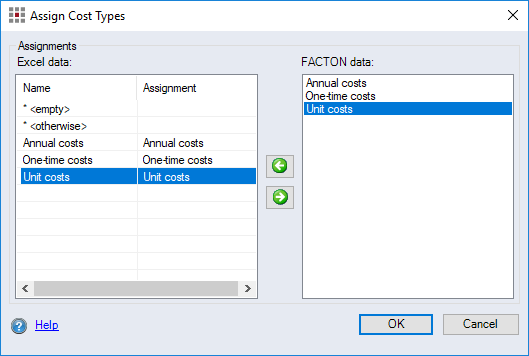
Cost Type
-
"* <empty>" field name:
When the Excel column is empty, the value of the assignment of the "* <empty>" field is used. If no assignment is made in the "* <empty>" field, an empty value is used.
-
"* <otherwise>" field name:
The assignment to "otherwise" is used if the Excel value is not part of other assignments.
-
Field names from the Excel column for the cost types that can be assigned to the FACTON data.
-
-
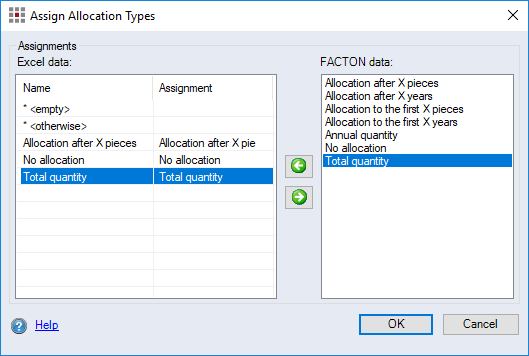
Allocation Type
-
"* <empty>" field name:
When the Excel column is empty, the value of the assignment of the "* <empty>" field is used. If no assignment is made in the "* <empty>" field, an empty value is used.
-
"* <otherwise>" field name:
The assignment to "otherwise" is used if the Excel value is not part of other assignments.
-
Field names from the Excel column for the allocation types that can be assigned to the FACTON data.
-
-
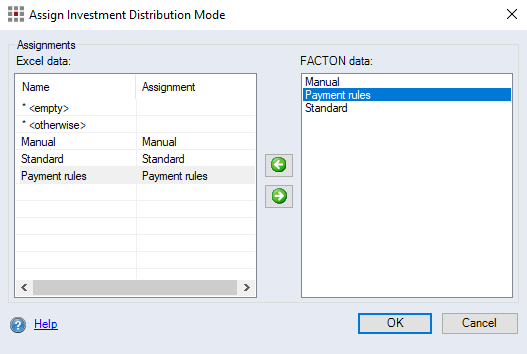
Distribution Mode
-
"* <empty>" field name:
When the Excel column is empty, the value of the assignment of the "* <empty>" field is used. If no assignment is made in the "* <empty>" field, an empty value is used.
-
"* <otherwise>" field name:
The assignment to "otherwise" is used if the Excel value is not part of other assignments.
-
Field names from the Excel column for the distribution modes that can be assigned to the FACTON data.
-
Additional cost and allocation types can be defined during the customizing process.
Further Information see Assign Object Types
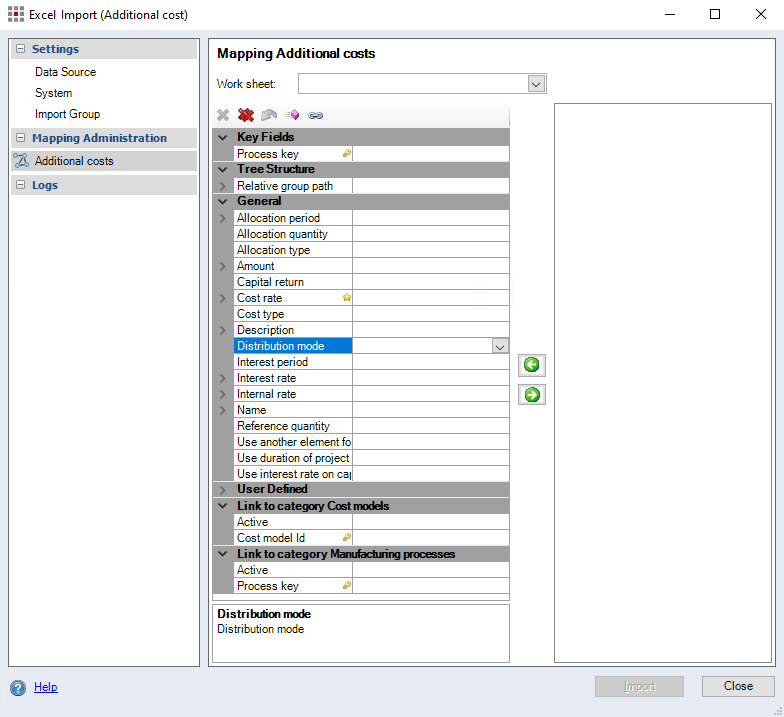
Figure: Excel Import - Additional Cost dialog, Mapping Additional Costs
Logs
Further Information see Logs Category