Create lifetime report
Use the Lifetime report to view the project key figures of the entire project duration.
-
In the ribbon, click on Reporting ► Execute Report ► Lifetime. The Output settings dialog opens.
-
In the ribbon, click on Start.
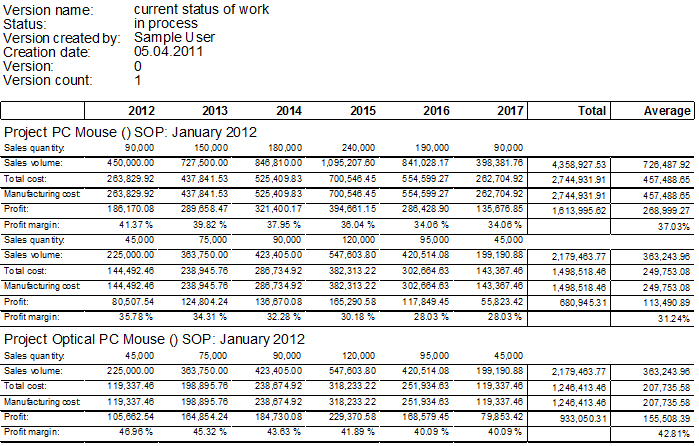
Figure: Lifetime report
Further Information