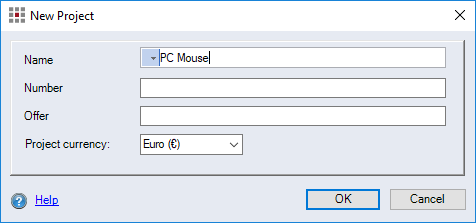
"New Project" Dialog
With the help of this dialog, you can create a new  Project,
  Multi project or
  Configuration project.
Open "New Project" dialog
-
Right-click on a folder > New
-
Project
Alternative: CTRL + N
-
Multi project
Alternative: CTRL + M
-
Configuration project
Alternative: CTRL + K
-
-
"Name" input field
Enter a name for the project – names can also be internationalized.
-
"Number" input field
Enter the number of the project.
-
"Offer" input field
Enter the offer description of the project.
-
"Project currency" combobox
Select the currency used to calculate the project.