Open Excel import for master data
The Excel master data import is available for various master data categories.
Open Excel Import for Master Data
-
In the ribbon, click on Data > Import >
 Master Data from Excel > <master data category>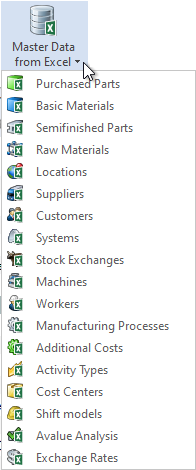
The "Excel Import - <master data category>" dialog opens.
Alternative:
-
In the ribbon, click on View >
 Data Administration (F6).
 -
Select a folder of a master data category.
-
Right-click on this folder > <master data category> Import.
The "Excel Import - <master data category>" dialog opens.
The "Excel Import" dialog can be displayed in a number of different ways depending on the selected category and the data driver settings.
For more information on driver settings, see "System Settings" category.