"Special" tab
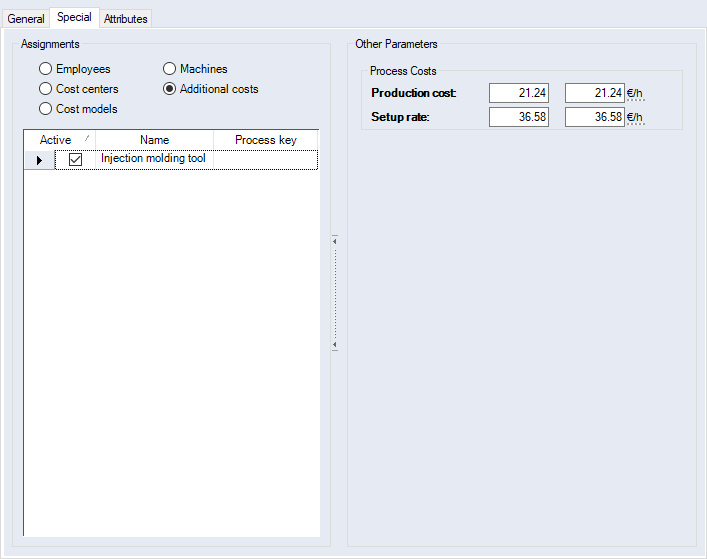
Figure: "Data Administration" dialog, "Manufacturing processes" category, "Special" tab
"Assignments" group
| Option | ||
| Workers | Multiple workers can be added and multiple ones can be actively assigned. If a manufacturing process is assigned in a project, a prompt will be displayed asking whether the linked workers shall be applied. | |

|
Cost Centers | Multiple cost centers can be added but only one can be actively assigned. If a manufacturing process is assigned in a project, a prompt will be displayed asking whether the linked cost centers shall be applied. If no cost center is activated, none will be added. |
| Cost Models |
Only one cost model can be linked and actively assigned. If the manufacturing process with the assigned cost model is added to a project, the process is automatically evaluated in "Technology" calculation mode The same applies to imported processes (see "Excel Import - Manufacturing Process" dialog) and processes from standard routings (see Standard Routing ), provided that they have assigned cost models. |
|
| Machines | Multiple machines can be added and multiple ones be actively assigned. If a manufacturing process is assigned in a project, a prompt will be displayed asking whether the linked machines shall be applied. | |
| Additional Costs | Multiple additional costs can be added and multiple ones be actively assigned. If a manufacturing process is assigned in a project, a prompt will be displayed asking whether the linked additional costs shall be applied. | |
 .
."Process Costs" group
| Entry field | |
| Production cost |
The manufacturing cost rate
|
| Setup rate |
Enter the setup cost rate value
|
Further Information