This dialog allows you to specify which project costs you wish to assume to the inserted project.
For costing types, you can additionally choose whether the base calculation or the costing type should be inserted
| Projects | Costing type |
|---|---|
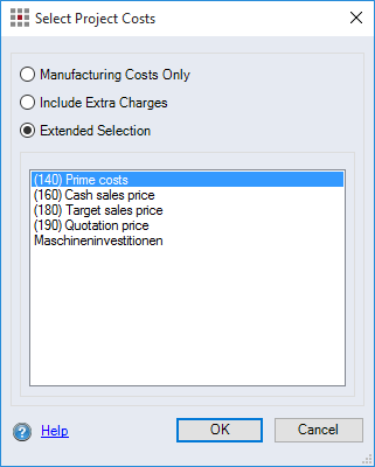
Figure: Select Project Costs Dialog |
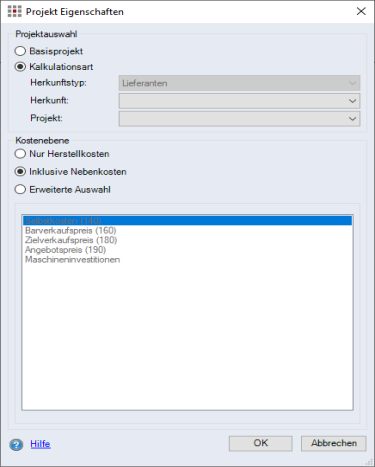
Figure: Select Project Costs Dialog |
"Project selection" group
| "Base project" option: | Having this option selected will insert the base calculation. |
| "Costing type" option: | Having this option selected will insert the costing type. |
Choose the most relevant costing type, if there are several costing types available.
| "Origin type" combobox | The origin type is predefined by the costing type to be inserted. It corresponds to the origin type of the costing type. |
| "Origin" combobox | If the base calculation has several costing types with different origins, you can choose an origin here. |
| "Project" combobox | You can select the respective project. |
"Cost level" group
| "Manufacturing Costs Only" option: | When this option is selected, only the manufacturing costs of the assigned process will be used. |
| "Include Extra Charges" option: | When this option is selected, the manufacturing costs and all extra charges of the assigned process will be used. |
| "Extended Selection" option with selection list: | Displays all available extra charges for the assigned project. Only one item can be selected. |