Variants view
The Variants View allows you to edit all variants simultaneously. It shows the reference project (first column) along with all variants in a tabular overview.
- The configuration project
 is open and active.
- In the ribbon, click on Edit (Variants) ► Variants View ("View" group).
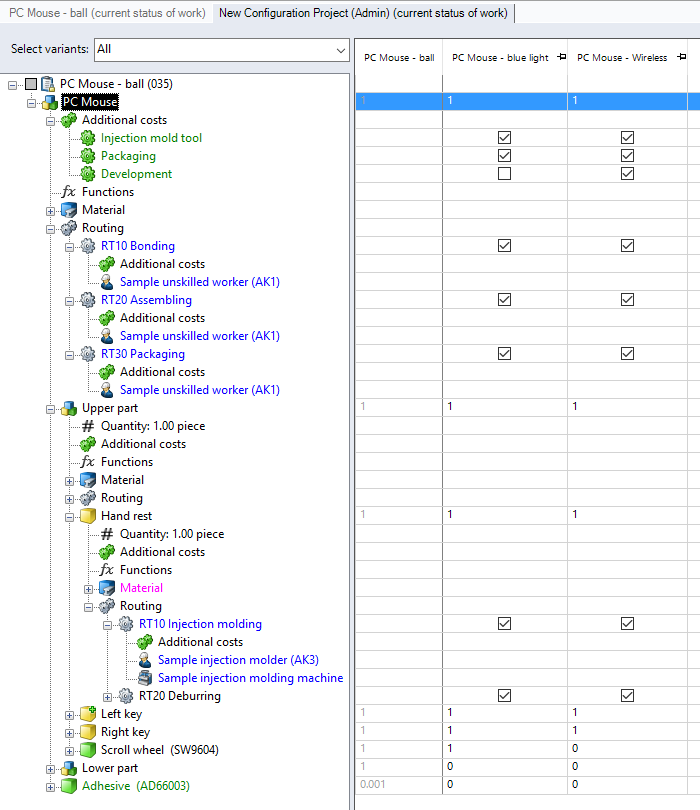
Figure: Variants view
| "Select variants" combobox: |
Select the variants you wish to edit. |
| Structure view |
Shows the project structure of the reference project. |
|
Table |
In the first column, the table displays the reference project; all other columns show the variants. You can set manufacturing processes and additional costs, as well as the reference quantities per calculation element and per variant. |