The dialog appears when logging in to FACTON. The login requires a user name with corresponding password.
Note
FACTON is not configured for single sign-on.
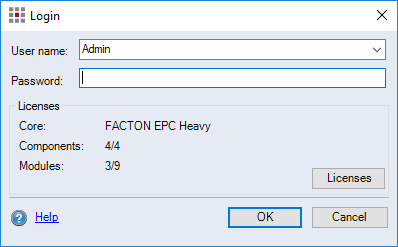
Figure: Login Dialog
-
"User name" combobox:
Select the user name you wish to use for login.
-
"Password" entry field:
Enter the password associated with the selected user name. If you forget your password, please contact your FACTON system administrator. The administrator can reset your password.
-
"Licenses" group:
Overview of all licenses that are used and available.
-
Licenses button:
The "License Administration" dialog opens to select license for the login. Users have a wide range of commands at their disposal depending on the selected license. For further information on licenses, see Licenses.
-